



-
DİKKAT DOSYA İndirmek/Yüklemek için ÜCRETLİ ALTIN ÜYELİK Gereklidir!
Altın Üyelik Hakkında Bilgi
Çok eski bir web tarayıcısı kullanıyorsunuz. Bu veya diğer siteleri görüntülemekte sorunlar yaşayabilirsiniz..
Tarayıcınızı güncellemeli veya alternatif bir tarayıcı kullanmalısınız.
Tarayıcınızı güncellemeli veya alternatif bir tarayıcı kullanmalısınız.
vba ile https://marketfiyati.org.tr/ sitesinden veri çekme
- Konbuyu başlatan walabi
- Başlangıç tarihi

muhasebeciyiz
Altın Üye
- Katılım
- 10 Şubat 2006
- Mesajlar
- 1,272
- Excel Vers. ve Dili
- Office 2016
64 Bit
Sitemize destek için üye olabilirsiniz
mekist
Altın Üye
- Katılım
- 13 Ağustos 2008
- Mesajlar
- 355
- Excel Vers. ve Dili
- Office 365 ProPlus-Türkçe
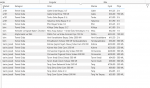
Kod:
let
    // 0) Endpoint
    Url = "https://api.marketfiyati.org.tr/api/v2/search",

    // 0.1) Parametre (Manage Parameters'ta oluşturduğunuz pKeyword kullanılacak)
    // pKeyword yoksa aşağıdaki satır ile yedek verelim:
    Keyword = try if Text.Length(Text.Trim(pKeyword)) > 0 then pKeyword else "elma" otherwise "elma",

    // 1) Payload
    Body = [
        keywords = Keyword,
        pages = 0,
        size = 24,
        latitude = 40.988814709784684,
        longitude = 29.233069681262748,
        distance = 1,
        depots = {
            "bim-J399", "a101-I250", "bim-G584", "sok-13408", "a101-9793",
            "tarim_kredi-5034", "bim-G590"
        }
    ],
    JsonBody = Json.FromValue(Body),

    // 2) Headers
    Headers = [
        #"Accept" = "application/json",
        #"Content-Type" = "application/json",
        #"Origin" = "https://marketfiyati.org.tr",
        #"Referer" = "https://marketfiyati.org.tr/",
        #"User-Agent" = "Mozilla/5.0 (Windows NT 10.0; Win64; x64) AppleWebKit/537.36 (KHTML, like Gecko) Chrome/145.0.0.0 Safari/537.36",
        #"Accept-Language" = "en-US,en;q=0.9"
        // Gerekirse geçici:  #"Cookie" = "xxx=yyy; session=...."
    ],

    // 3) POST çağrısı
    Raw = Web.Contents(
        Url,
        [
            Headers = Headers,
            Content = JsonBody,
            Timeout = #duration(0,0,120,0),
            ManualStatusHandling = {418,429,500}
        ]
    ),

    // 4) Hata kodu kontrol
    Status = try Value.Metadata(Raw)[Response.Status] otherwise null,
    _Check = if Status <> null and Status <> 200 then error ("HTTP Status: " & Text.From(Status)) else null,

    // 5) JSON
    J = Json.Document(Raw),

    // 6) Asıl sonuç listesi 'content' altında
    ContentList = try J[content] otherwise null,
    _Guard = if ContentList = null or not Type.Is(Value.Type(ContentList), List.Type)
             then error "Beklenen 'content' listesi bulunamadı."
             else null,

    // 7) Listeyi tabloya çevir ve 1. seviye alanları aç
    T0 = Table.FromList(ContentList, Splitter.SplitByNothing(), {"rec"}, null, ExtraValues.Error),
    Sample = try T0{0}[rec] otherwise null,
    Cols = if Sample = null then {} else Record.FieldNames(Sample),
    Result =
        if List.Count(Cols) = 0 then
            T0
        else
            Table.ExpandRecordColumn(T0, "rec", Cols, Cols),

    // 8) productDepotInfoList'i satırlaştır ve alanlarını aç
    #"Genişletilen productDepotInfoList" =
        if Table.HasColumns(Result, "productDepotInfoList")
        then Table.ExpandListColumn(Result, "productDepotInfoList")
        else Result,

    #"Genişletilen productDepotInfoList1" =
        if Table.HasColumns(#"Genişletilen productDepotInfoList", "productDepotInfoList")
        then
            Table.ExpandRecordColumn(
                #"Genişletilen productDepotInfoList",
                "productDepotInfoList",
                {"depotId", "depotName", "price", "unitPrice", "unitPriceValue", "marketAdi", "percentage", "longitude", "latitude", "indexTime", "discount", "discountRatio", "promotionText"},
                {"productDepotInfoList.depotId", "productDepotInfoList.depotName", "productDepotInfoList.price", "productDepotInfoList.unitPrice", "productDepotInfoList.unitPriceValue", "productDepotInfoList.marketAdi", "productDepotInfoList.percentage", "productDepotInfoList.longitude", "productDepotInfoList.latitude", "productDepotInfoList.indexTime", "productDepotInfoList.discount", "productDepotInfoList.discountRatio", "productDepotInfoList.promotionText"}
            )
        else
            #"Genişletilen productDepotInfoList",
    #"Yeniden Adlandırılan Sütunlar" = Table.RenameColumns(#"Genişletilen productDepotInfoList1",{{"productDepotInfoList.unitPriceValue", "Fiyat"}}),
    #"Değiştirilen Tür" = Table.TransformColumnTypes(#"Yeniden Adlandırılan Sütunlar",{{"Fiyat", Currency.Type}}),
    #"Yeniden Adlandırılan Sütunlar1" = Table.RenameColumns(#"Değiştirilen Tür",{{"title", "Ürün"}, {"brand", "Marka"}, {"refinedVolumeOrWeight", "Ölçü"}, {"menu_category", "Kategori"}, {"productDepotInfoList.marketAdi", "Market"}, {"productDepotInfoList.indexTime", "Güncelleme"}})
in
    #"Yeniden Adlandırılan Sütunlar1"
Yapay zeka ile Power BI kodlarını yukarıdaki gibi yaptım
sonraki aşamada, arama butonunu ve koordinatlarını sayfaya almak
-
Sizlere daha iyi bir deneyim sunabilmek icin sitemizde çerez konumlandırmaktayız, web sitemizi kullanmaya devam ettiğinizde çerezler ile toplanan kişisel verileriniz Veri Politikamız / Bilgilendirmelerimizde belirtilen amaçlar ve yöntemlerle mevzuatına uygun olarak kullanılacaktır.